
Vendors & suppliers
Invoices, tax forms, compliance certificates, delivery notes
Inbound document intake for organizations
UploadDoc is a document intake inbox for organizations. Share one link, anyone uploads files with no account, your team reviews and approves them, and approved files sync to Google Drive, Dropbox or OneDrive.
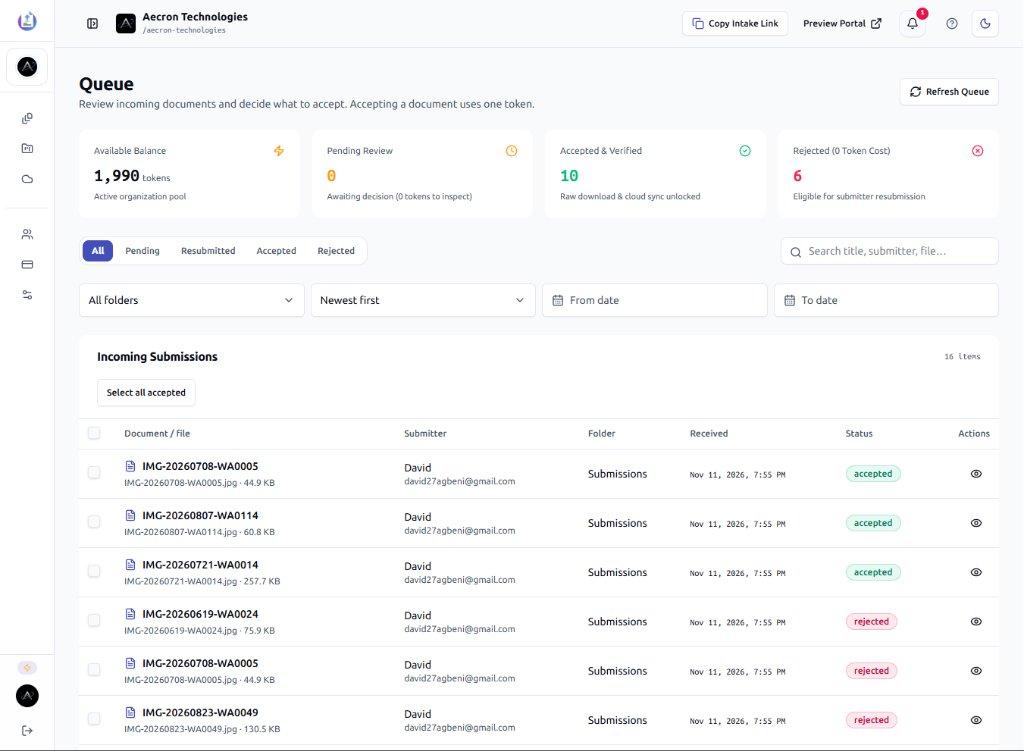
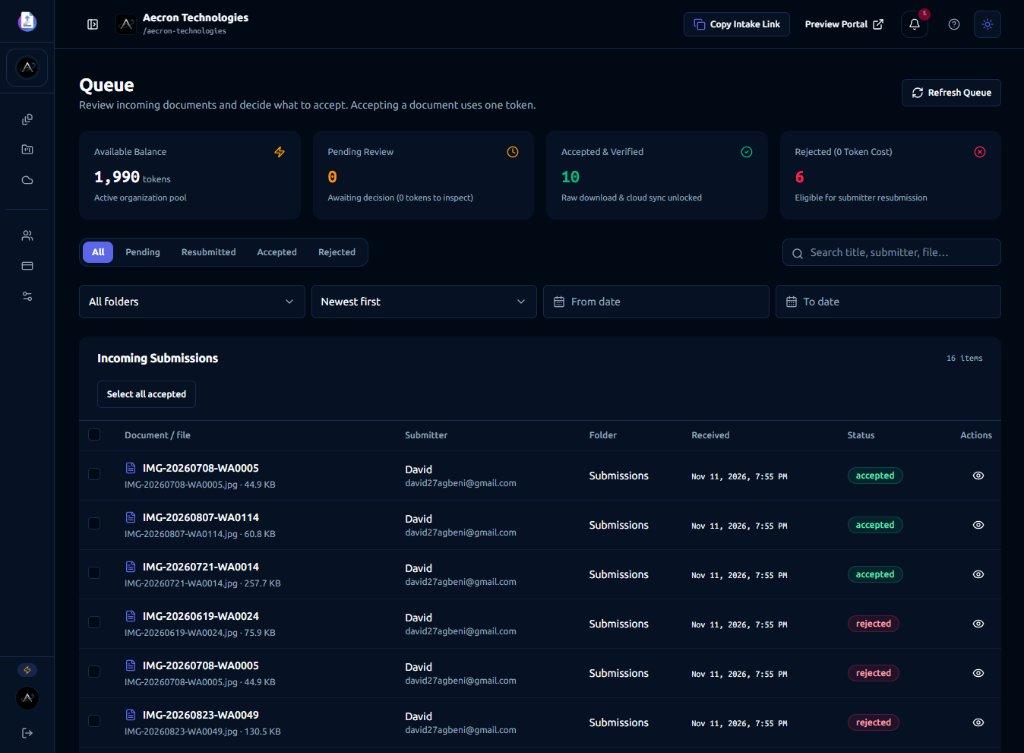
What is UploadDoc?An inbound document intake inbox with open links, QR posters, and custom form fields
Review before you payWatermarked previews and rejections cost 0 tokens; spend 1 token only on approval
Connected cloud storageApproved files sync to Google Drive, OneDrive, or Dropbox with optional zero-retention
Inside UploadDoc
A short walkthrough of open intake links, Queue review, and connected cloud storage will play here.
How it works
Give external submitters a zero-account upload link, inspect watermarked previews in the Queue, and sync approved files to your cloud storage.
Create an intake folder with custom form fields. External submitters upload up to 10 documents per batch with no account.
Inspect incoming submissions in your shared Queue at 0 token cost. Raw file downloads stay locked until accepted.
Spend 1 token to accept a file, or reject with a note for free (up to 3 metadata corrections). Approved files sync to Google Drive, OneDrive, or Dropbox.
A review everyone can follow
Review submissions in their intake folder. Reject with feedback at 0 token cost when metadata needs a correction (up to 3 resubmissions), or accept for 1 token to unlock the file and sync it to your cloud drive.
Made for inbound intake
Create dedicated intake folders for vendors, clients, students, or applicants while giving your team one shared Queue to review and approve incoming files.
See plans and pricingInvoices, tax forms, compliance certificates, delivery notes
Tax forms, bank statements, management accounts, receipts
Applications, transcripts, national ID, medical records
Onboarding forms, signed agreements, identity documents
Good to know
UploadDoc is a document intake inbox for organizations. Share one link, anyone uploads files with no account, your team reviews and approves them, and approved files sync to Google Drive, Dropbox or OneDrive.
UploadDoc is built for organizations that collect documents from people outside their team, including vendors, suppliers, clients, students, applicants, and contractors.
No. External submitters never create an account or install software. They open your intake link or scan a QR code, enter their name and email address, and upload up to 10 documents per batch.
1 token equals 1 approved document. Inspecting watermarked previews in the Queue, rejecting submissions, and asking for corrections all cost 0 tokens. Free Personal accounts receive 20 renewing tokens per month (₦0), free organization workspaces start with 500 one-time welcome tokens, and paid organization plans start at ₦10,000 per month.
Approved documents sync with Google Drive, Dropbox, and Microsoft OneDrive. Organizations can also enable a zero-retention option to purge the UploadDoc copy after cloud delivery is confirmed.
When a reviewer rejects a document with feedback, the rejection costs 0 tokens and the submitter receives a tracking link. From that link, the submitter can edit the submission metadata (title and notes) and resubmit up to 3 times, or submit a fresh file via the intake link if the document itself needs to be replaced.
To protect your storage and billing balance, UploadDoc generates a watermarked raster preview for every incoming file. The original binary remains locked (HTTP 403) until a reviewer with approval permission accepts the document for 1 token.
Email attachments clutter inboxes, hit size limits, and lack a structured review queue or audit trail. Shared Google Drive or Dropbox folders often require guest logins or expose folder contents. UploadDoc gives you a branded intake link with custom fields, a review queue with watermarked previews, and automatic cloud sync only after a file is approved.
Checklist tools are designed around multi-page questionnaires and scheduled chasing per client request. UploadDoc is an open inbound document intake inbox: publish one link or QR poster per folder, let anyone submit without an account, and pay only for the documents you accept.
A clearer intake inbox starts here
Set up an open intake link your external submitters can use with no account, and review every file before it reaches your cloud drive.